
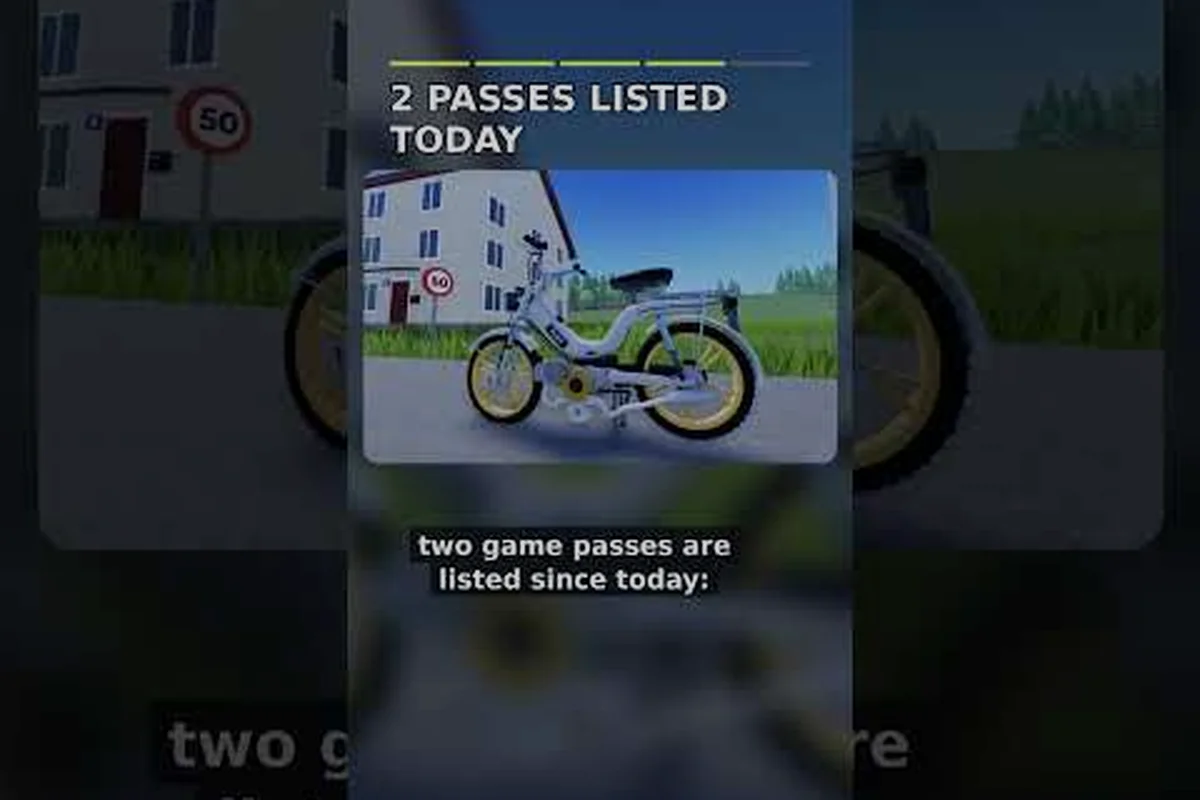
German Moped Days drops you onto a two-stroke moped with a kick-starter and a fuel can, and this German Moped Days tutorial walks you through the PC controls, the fuel-mixing ritual, and the core gameplay loop before your first ride. Getting the startup sequence right matters, because a moped that will not idle will not take you anywhere.
The Basics of a Chill Riding Sim
The first thing to understand about this Roblox experience is that it is a chill, small-community riding sim rather than a racing game. Sessions host up to 20 players per server, which keeps the world feeling like a quiet neighborhood instead of a crowded lobby. The gameplay loop is built around a ritual: you mix fuel, kick-start a cold two-stroke engine, ride somewhere, and come back to tinker.
According to community overviews from beta players, every ride begins with the same three-step ritual — fuel mix, kick-start, warm-up — and skipping any part of it leaves you stranded, because the two-stroke engine will not fire on unmixed petrol and the kick input has no auto-assist. That is why the German Moped Days basics matter more here than in a typical arcade racer: a botched fuel ratio or a mistimed kick costs you a walk home, not a respawn timer.
Here is what the opening experience actually asks of you: a fuel mix step where you pour petrol and two-stroke oil into the tank at the correct ratio, a kick-start input you must time yourself with no auto-assist, and a warm-up idle before the engine will pull cleanly. Miss the oil and the moped never fires; mistime the kick and you flood the carburetor, forcing a walk back to the garage.
-
Join the official Roblox group early — membership gates code redemption and some spawn perks, so doing it on day one saves you a headache later.
-
Learn the fuel blend before you ride — a two-stroke engine needs oil mixed into the petrol, and the game models this rather than hiding it.
-
Practice the kick-start timing — the manual kick is a real input, not an animation that plays itself.
-
Explore at your own pace — there is no timer pushing you toward a finish line.
-
Use the in-game phone or garage computer — this is where feedback and some menu functions live.
The German Moped Days basics boil down to treating the moped like a real machine. If you enjoy that kind of hands-on pacing, the open world map guide explains where the roads actually lead once you get rolling.
Why the Two-Stroke Ritual Matters
A two-stroke engine will not run on straight petrol, and the game respects that detail. You need the correct oil-to-fuel ratio before the kick-start will catch, which is why experienced riders treat mixing as step one and not an afterthought. Get the blend wrong and the engine either refuses to fire or dies a few seconds after it does.
This single mechanic separates players who ride from players who push their moped home. Once the blend is right, the kick-start becomes reliable, and you can start thinking about where to go instead of whether you will move at all.
German Moped Days PC Controls and Input Reference
The German Moped Days controls follow standard Roblox conventions, so anyone who has played another Roblox experience will recognize most of the layout immediately. The twist is that a few inputs are moped-specific: the kick-start, the fuel interaction, and the mounting action all need their own key or click.
The table below maps every default input you need for your first German Moped Days session, from W A S D movement and Space to jump on foot to the moped-specific bindings that trip up newcomers. Note that the kick-start uses a dedicated prompt rather than a fixed key, and timing it correctly on a cold engine matters more than mashing it — a mistimed kick simply stalls the moped and wastes fuel you will need later. The E interact key handles fuel cans, the garage computer, and your phone, so keep it free of conflicting binds.
| Action | Default Input | Notes |
|---|---|---|
| Move on foot | W A S D | Standard Roblox character movement |
| Look around | Mouse | Camera control while walking or riding |
| Jump | Space | On foot only |
| Interact / use | E | Fuel cans, garage computer, phone |
| Mount / dismount moped | Proximity prompt click | Appears when you stand next to the moped |
| Kick-start engine | Dedicated prompt or key | Timing matters on a cold engine |
| Sprint | Shift | On foot, drains stamina |
| Open menu / phone | On-screen UI button | Feedback and settings live here |
Because Roblox lets players rebind keys, your German Moped Days PC controls may differ slightly from the defaults above. If a prompt does not appear, check your keybinds before assuming the game is broken — a remapped interact key is the most common cause of "nothing happens" reports.
Keyboard vs. Mobile Inputs
Mobile players get touch equivalents for every action, but the kick-start and fuel interactions become on-screen buttons rather than keys. The timing window on the kick feels more forgiving with a physical keyboard, which is why most tutorial videos are recorded on PC.
If you split your time between devices, the riding and driving guide breaks down the mobile control layout in more detail. The short version: everything works on a phone, but precise kick-start timing is easier with a keyboard.
The Startup Sequence, Step by Step
This is the part of the German Moped Days tutorial that new riders get wrong most often, so it is worth slowing down. The sequence is short, but each step depends on the one before it — and the dependency is mechanical, not cosmetic. The two-stroke engine will not idle on straight petrol, the fuel gauge will not move until the cap interaction registers, and the kick input only fires once you are actually seated. Treat the seven steps below as a single chain: find the moped, mix the blend, refuel, mount, kick-start, idle, ride. Break any link and the next input simply does nothing, which is why so many players misread a stalled engine as a broken game rather than a skipped step.
| Step | Input / Action | System Dependency | Failure Symptom if Skipped | Fix |
|---|---|---|---|---|
| 1 | Find moped + fuel source | Starter moped spawns near spawn area; fuel cans placed around garage and roadside | No moped to interact with; no fuel to pour | Locate spawn-area moped, grab roadside/garage fuel can |
| 2 | Mix two-stroke blend (oil + petrol) | Correct oil-to-petrol ratio required before pour | Engine sputters once and dies, or refuses to catch | Re-mix at correct two-stroke ratio before refueling |
| 3 | Refuel via fuel cap interaction | Gauge tracks the cap pour, not raw petrol added | Tank looks full but reads empty | Interact with cap and watch gauge, don't guess |
| 4 | Mount moped | Kick input only fires once seated | Kick input does nothing | Click proximity prompt to sit on seat |
| 5 | Kick-start engine | Cold engine may need a second attempt | Engine stalls on first kick | Kick again until engine catches |
| 6 | Let it idle | Cold start needs a settle beat before throttle | Stalls when throttle twisted too early | Wait one beat, then twist throttle |
| 7 | Ride | Requires clean idle from step 6 | Cannot explore | Only ride once idle is clean |
-
Find your moped and a fuel source. Your starter moped sits near the spawn area, and fuel cans are placed around the garage and roadside spots.
-
Mix the two-stroke blend. Add oil to the petrol in the correct ratio before you pour it in. A blend that is too lean or too rich will not idle properly.
-
Refuel the tank. Interact with the moped's fuel cap and top it up. Watch the gauge rather than guessing.
-
Mount the moped. Click the proximity prompt to sit on the seat.
-
Kick-start the engine. Trigger the kick input and let the engine catch. If it stalls, kick again — cold engines sometimes need a second attempt.
-
Let it idle for a moment. Give the engine a beat to settle before you twist the throttle, especially on a cold start.
-
Ride. Once it idles cleanly, you are free to explore.
Skipping step two is the classic beginner mistake, and it is worth understanding exactly why it stalls you. Players pour straight petrol into the tank, kick until they are frustrated, and conclude the game is buggy — when the real problem is the blend. Without oil mixed in at the correct two-stroke ratio, the engine may sputter once and die, or refuse to catch at all, so the kick input in step five never registers a clean start. The fuel gauge also behaves differently: it tracks the pour from the cap interaction, not the raw petrol you added, which is why a tank that looks full can still read empty if the blend step was skipped. Mix first, then refuel, and the whole chain from step three onward behaves as intended.
Reading the Fuel Gauge
The gauge is your early-warning system. Running dry mid-route means a long push back to a fuel source, and pushing a moped is exactly as slow as it sounds. Top up whenever you pass a can, even if the tank is only half empty, because the map's fuel spacing is not always convenient.
Community reports suggest fuel consumption scales with how hard you ride, so a gentle cruise stretches a tank noticeably further than constant full-throttle sprinting. The underlying mechanic ties burn rate to throttle input and RPM band: holding the engine in its low-to-mid rev range while feathering the accelerator on flats can roughly halve the fuel you'd torch by pinning the throttle uphill. Treat the gauge as a planning tool, not a decoration — glance at it before long climbs or open stretches, and if the needle is already dipping toward the reserve mark, ease off early rather than gambling on a station that may not exist.
Understanding the German Moped Days Gameplay Loop
Once you can reliably start your moped, the German Moped Days gameplay opens up into a relaxed cycle of riding, tinkering, and socializing. There is no win condition forcing your hand, so the loop is whatever you make of it — but most sessions settle into a recognizable rhythm.
| Loop Stage | What You Do | Why It Matters |
|---|---|---|
| Prep | Mix fuel, check the tank, inspect the moped | Prevents mid-route breakdowns |
| Ride | Cruise roads, explore the map, meet other riders | The core chill experience |
| Return | Head back to the garage or a fuel stop | Keeps you supplied |
| Tinker | Adjust parts, test changes, tune performance | Turns a stock moped into yours |
| Repeat | Start the next ride with a better setup | Slow, steady progression |
The tinkering stage is where the game quietly deepens. A stock moped is fine for learning, but small adjustments change how it feels on the road, and that feedback loop is what keeps veteran players logging in. If you want to go down that path, the tuning guide covers parts and setup in depth.
Playing With Others
The 20-player server cap shapes the social side of the game. You will recognize familiar names across sessions, and impromptu group rides happen naturally because the world is small enough to bump into people. There is no competitive pressure baked into the design, so a slow cruise beside another rider is a perfectly valid way to spend an evening.
That small-community feel is deliberate rather than a side effect of the 20-player cap. The developer reads reports submitted through the in-game phone and the garage computer, then ships quick revisions to spawn points, moped handling, and the german moped days controls layout. For a new player, that means a bug you log on Monday can be patched by the weekend, so it is worth learning where the feedback menu sits during your first german moped days tutorial run instead of treating it as decoration.
Practical Tips for Your First Few Sessions
New riders tend to repeat the same handful of mistakes, and most of them are avoidable with a little foresight. The single most common one is over-revving the engine on the kick-start — dumping throttle before the moped settles into its idle rhythm, which floods the carburetor and forces a restart. A close second is guessing at the two-stroke fuel ratio instead of measuring it, since a lean mix overheats the cylinder on longer routes while a rich one fouls the plug and kills acceleration. The tips below come from community reports and beta-player overviews rather than guesswork.
-
Join the group before you need a code. Membership gates redemption, so signing up early means you are not locked out of a reward later.
-
Mix fuel in batches, not sips. Preparing a proper blend once is faster than repeatedly topping up with the wrong ratio.
-
Learn one route before exploring freely. A familiar loop makes it easy to find fuel and get home.
-
Do not ignore the idle. A moped that idles rough will stall at the worst moment.
-
Check the garage computer occasionally. Patch notes and balance tweaks show up there, and the version history breakdown tracks how the beta has shifted over time.
-
Ride gently while learning. Smooth throttle control saves fuel and keeps the engine happy.
The single highest-value habit is consistency with the startup ritual. Riders who internalize the fuel blend and kick-start sequence spend their sessions riding instead of troubleshooting, and that difference compounds the longer you play. Concretely, that means committing the two-stroke ratio to memory before your first delivery run, then repeating the same kick-start cadence — brief throttle, steady compression, release — until the moped settles into its idle note without a restart. Community reports and beta-player overviews flag over-revving on the kick-start as the top cause of a flooded carburetor, so treating the ritual as a fixed checklist rather than a feel-it-out guess pays off fastest on longer routes where a stall strands you far from fuel.
Where to Go Next
Once the basics feel automatic, the natural next step is making the moped your own. A garage workshop setup gives you a dedicated space to work on the bike, and having a proper bench makes tuning sessions far less frustrating than doing everything roadside.
For a broader look at how the experience has evolved, MBT's German Moped Days basic overview walks through the loop from a beta player's perspective and covers the systems a fresh rider will encounter. It is a useful companion to reading, since seeing the kick-start timing in motion clarifies what the written steps can only describe.
Frequently Asked Questions
What are the default German Moped Days controls on PC?
Movement uses W A S D, the mouse controls the camera, Space jumps, and E handles most interactions like fuel cans and the garage computer. Mounting the moped uses a proximity prompt, and the kick-start has its own dedicated input. Because Roblox supports key rebinding, your layout may differ if you have changed your binds.
Why won't my moped start in German Moped Days?
The most common cause is a wrong fuel blend. A two-stroke engine needs oil mixed into the petrol, so pouring straight fuel will leave it unable to idle. Check the ratio, refuel properly, then kick again — cold engines sometimes need a second attempt before they catch and settle.
How many players are in a German Moped Days server?
Sessions host up to 20 players per server, according to community overviews. That cap keeps the world feeling like a small neighborhood rather than a crowded lobby, which fits the game's relaxed, social riding style. You will often recognize the same names across sessions.
Do I need to join the Roblox group to play?
You can play without joining, but membership gates code redemption and some spawn perks. New players are encouraged to join the official group early so they are not locked out of rewards later. It costs nothing and takes a moment, so there is little reason to delay it.
Is German Moped Days a racing game?
No. It is a chill riding and tinkering experience with no win condition or timer pushing you forward. The core loop is preparing your moped, cruising the map, and returning to adjust parts. Players who enjoy hands-on mechanical detail get the most out of it, while players expecting a race will find the pace deliberately slow.
The heart of this German Moped Days tutorial is simple: mix the fuel correctly, learn the kick-start, and treat the moped like a machine that rewards attention. Master those three things and the controls, the gameplay loop, and the tinkering all fall into place naturally.